Workflow-first agriculture & agribusiness operations
AI for Agriculture & Agribusiness
Turn field, flock, equipment, input, and shipment updates into organized work before they reach the office.
Connect field notes, spreadsheets, compliance folders, inventory, equipment logs, email, buyers, and accounting while keeping production and compliance decisions with experienced people.
Review my agriculture workflowWe identify one process that can be simplified now—not a list of new software.
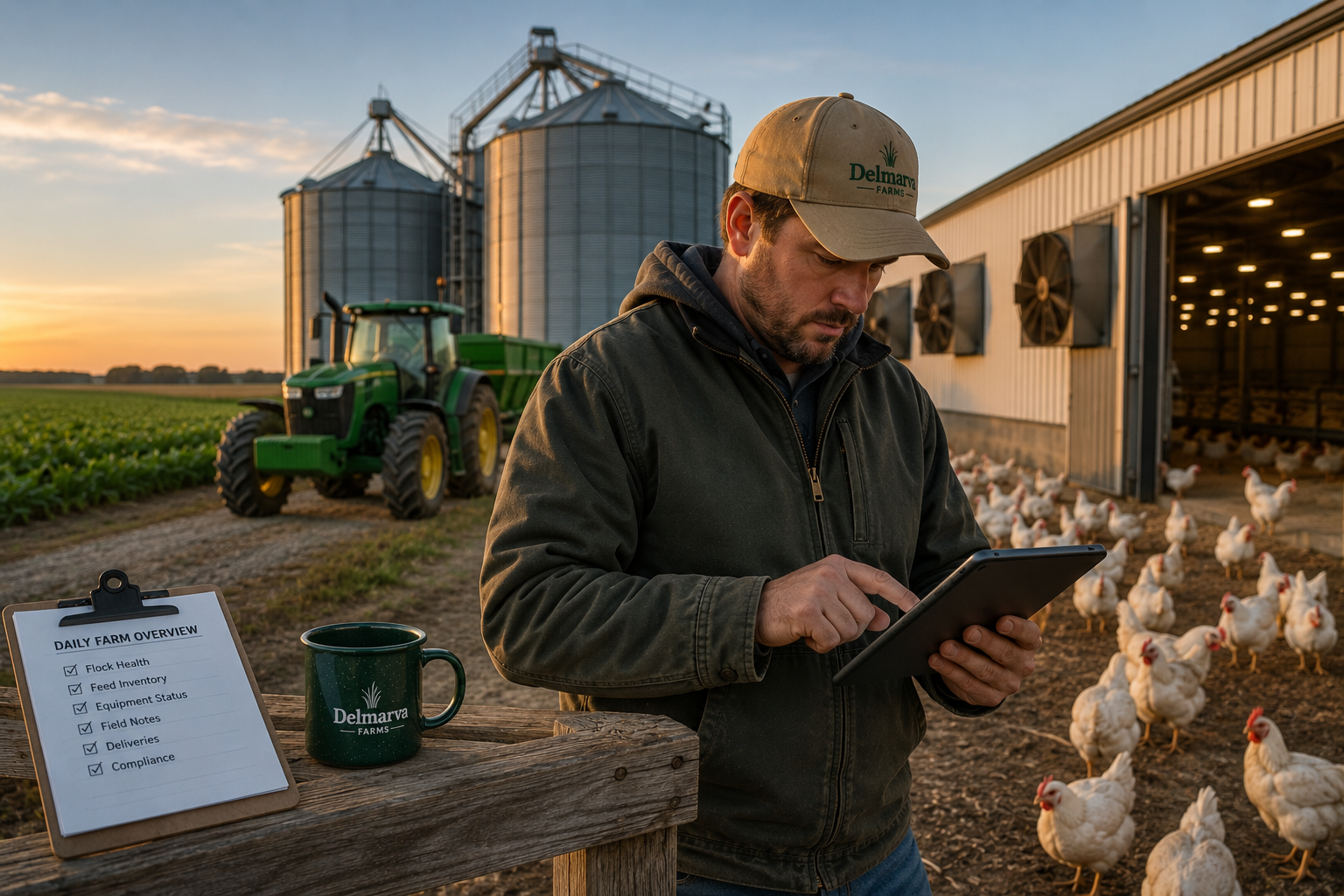
The real problem
The information is generated in the field, but the decision record is rebuilt later in the office.
Agricultural work is seasonal, mobile, and often recorded first on paper, text, or a truck clipboard. Office staff later re-enter notes into spreadsheets, compliance folders, maintenance lists, and buyer communications.
The useful goal is not another generic AI writer. It is a connected process that captures information once, prepares the repeatable work, and returns a qualified person for judgment, approval, or communication.
What a better workflow looks like
Field events should assemble an accountable operating record for farm management.
- Field or flock notes
- Equipment records
- Supplier information
- Processor or buyer updates
- Compliance documents
A field observation, flock note, supplier update, document upload, maintenance reading, or shipment change starts the workflow. Systems organize records and reminders, AI prepares summaries, and the grower, manager, or compliance lead decides what is true and what action to take.
Practical workflows for agriculture & agribusiness
One trigger, background work, one human checkpoint
Workflow
Field or flock observation to management queue
Structure mobile observations without diagnosis or treatment.
Current fragmented condition
- 1.Record a voice note
- 2.Text a photo separately
- 3.Describe the location
- 4.Search prior observations
Today
A voice note, photo, location, and time arrive
Automated preparation
Link location, time, reporter, and media to production records · Route using configured operation rules
AI-prepared work
Structure spoken and visual observations · Compare prior observations and prepare an evidence-linked queue
Human decision
The manager decides whether and how to investigate
- Commercial output
- A management queue with no diagnosis or treatment recommendation.
- Business effect · speed
- Organizes field evidence by urgency and history, helping managers investigate material conditions sooner and avoid wasted travel or delayed response.
- First measurement
- Observation-to-review time; Observations missing location; Undispositioned observation age
- Trigger
- When a field or facility observation arrives, the workflow connects its time, location, reporter, and evidence with related prior reports.
- Human checkpoint
- The farm manager verifies the observation and local conditions, decides whether investigation or action is warranted, and assigns qualified personnel.
- Why AI is relevant
- Spoken, visual, and historical evidence requires synthesis that routing rules cannot provide.
- Required context and fallback
- Timestamped observation; Reporter and field, flock, or facility location; Attached photos or voice transcript; Prior observations for the same location; Approved routing rules. If unavailable: If location, reporter, timestamp, or evidence is missing, keep the observation unprioritized and request the specific field detail.
Workflow
Input purchasing decision packet
Normalize the real terms and timing of supplier options.
Current fragmented condition
- 1.Open supplier emails
- 2.Rekey prices
- 3.Calculate freight
- 4.Check inventory
- 5.Call about terms
Today
New or revised input quotes arrive
Automated preparation
Retrieve inventory and approved supplier records · Normalize units and configured arithmetic
AI-prepared work
Extract freight, payment terms, availability, and exceptions · Prepare a comparison with ambiguities marked
Human decision
The manager selects and approves the purchase
- Commercial output
- A source-linked purchasing comparison.
- Business effect · margin
- Makes landed terms and inventory needs comparable, helping managers avoid unnecessary working-capital use and select purchases that protect margin.
- First measurement
- Comparison preparation time; Quotes missing terms; Rush purchases
- Trigger
- When supplier quotes change, the workflow normalizes units, quantities, freight, payment terms, inventory, and delivery timing.
- Human checkpoint
- The manager validates comparable terms and operational need, chooses the supplier and quantity, and authorizes the purchase commitment.
- Why AI is relevant
- Inconsistent quote documents require interpretation beyond spreadsheet arithmetic.
- Required context and fallback
- Supplier quote documents; Units and quantities; Freight and payment terms; Inventory on hand; Required delivery timing. If unavailable: If supplier terms are missing, exclude the quote from the final comparison and request freight, payment, or delivery details.
Workflow
Equipment downtime preparation
Assemble history and constraints before a repair decision.
Current fragmented condition
- 1.Call the operator
- 2.Search service logs
- 3.Find repair invoices
- 4.Check usage
- 5.Call for parts
Today
An operator report, interval, or exception occurs
Automated preparation
Retrieve service intervals, usage, repairs, and parts status · Link reports and media to the equipment record
AI-prepared work
Synthesize reported symptoms, history, usage, and parts constraints · Prepare questions without making a safety determination
Human decision
The mechanic or manager chooses inspection and repair actions
- Commercial output
- An equipment-history and parts-readiness packet.
- Business effect · labor
- Brings service history and availability together sooner, helping managers schedule labor and parts while reducing avoidable downtime.
- First measurement
- Downtime awaiting decision; Repair visits missing history; Breakdown preparation time
- Trigger
- When an operator reports trouble or a service interval occurs, the workflow assembles equipment history, usage, and parts availability.
- Human checkpoint
- The mechanic or manager confirms equipment condition, decides inspection, shutdown, or repair steps, and retains responsibility for safety.
- Why AI is relevant
- Operator language and repair records describe related problems inconsistently.
- Required context and fallback
- Equipment identity; Service history; Usage or hour records; Operator report; Parts and vendor availability. If unavailable: If equipment identity or service history is unavailable, keep the repair recommendation open and send the operator report to the mechanic.
Workflow
Compliance and audit-readiness review
Expose documentary gaps without claiming compliance.
Current fragmented condition
- 1.File tickets
- 2.Search certificates
- 3.Compare training sheets
- 4.Check expirations
- 5.Build an audit folder
Today
A record arrives or internal review approaches
Automated preparation
Index application records, tickets, certificates, and training records · Apply configured retention and expiration checks
AI-prepared work
Extract attributes and reconcile related records · Prepare a sourced gap and inconsistency packet
Human decision
The compliance lead verifies completeness and status
- Commercial output
- A reviewable audit index that never certifies compliance.
- Business effect · risk
- Continuously exposes missing or expiring evidence, reducing last-minute reconstruction work and lowering documentary compliance risk.
- First measurement
- Records missing at review; Audit preparation time; Expired records found late
- Trigger
- When a record arrives or review nears, the workflow checks the expected-document list, retention rules, expirations, and ownership.
- Human checkpoint
- The compliance lead verifies records and expirations, decides how gaps will be resolved, and remains responsible for readiness claims.
- Why AI is relevant
- Facts inside varied documents must be reconciled; reminders only know recorded dates.
- Required context and fallback
- Expected-document checklist; Application or delivery records; Certificates and training records; Retention and expiration rules; Responsible compliance owner. If unavailable: If expected evidence is absent, mark that checklist item incomplete, name its owner, and do not present the packet as ready.
Workflow
Shipment and processor exception coordination
Reconcile changing commitments before records diverge.
Current fragmented condition
- 1.Receive a processor call
- 2.Text the hauler
- 3.Check readiness
- 4.Update a spreadsheet
- 5.Correct billing later
Today
Production, hauler, processor, quantity, or pickup information changes
Automated preparation
Collect production, load, hauler, processor, and office records · Apply confirmation rules
AI-prepared work
Compare narrative changes with quantity and timing commitments · Prepare a conflict brief and confirmations
Human decision
The operations lead confirms quantities, timing, and commitments
- Commercial output
- A verified shipment-exception packet.
- Business effect · cash-flow
- Surfaces load and commitment conflicts before dispatch or invoicing, reducing billing delays and helping cash move sooner from completed production.
- First measurement
- Conflicts found before dispatch; Waiting-charge incidents; Billing corrections
- Trigger
- When production or shipment information changes, the workflow identifies conflicts among readiness, quantity commitments, hauling, and buyer expectations.
- Human checkpoint
- The operations lead verifies revised quantities and timing, confirms commitments with the hauler or processor, and approves affected-party communication.
- Why AI is relevant
- Conversational changes affect several linked commitments that routing alone cannot reconcile.
- Required context and fallback
- Production readiness; Load or quantity commitment; Hauler schedule; Processor or buyer communication; Office and billing records. If unavailable: If quantity or hauler confirmation is missing, keep the load in exception status and have operations confirm the commitment before dispatch.
Recommended first workflow
A contained place to begin
Start here
Begin with compliance and audit-readiness review
Expected record sets provide a deterministic baseline while a compliance lead retains responsibility for sufficiency.
Three requirements
- An expected-document checklist
- Access to approved operational records
- A compliance lead responsible for confirmation
First measurement
Missing-document count
- 01Connect the information
- 02Run with human review
- 03Measure the result
Workflow requirements
Systems, information, access, and limitations
Systems involved
- Field and production records: Field notes, Flock records, Mobile forms, Spreadsheets
- Compliance and equipment: Document storage, Equipment logs, Training records
- Business systems: Supplier emails, Inventory sheets, Accounting, Buyer communications
Information required
- Field notes
- Photos
- Supplier emails
- Inventory sheets
- Equipment logs
- Compliance documents
- Accounting records
Conditional access
- Rural connectivity
- Digitized paper records
- Buyer system access
- Employee consent
- Defined treatment or purchasing rules
Unsafe assumptions
- Compliance certification
- Food-safety decisions
- Treatment recommendations
- Unrecorded verbal commitments
- Current inventory without records
- Financial approvals
When context is unavailable: When the necessary context is missing, the workflow should ask for it, flag the gap, or route the item for review. It should not confidently invent an answer.
Boundaries, privacy, and trust
What should not be automated without review
Compliance records
AI may organize documents, but audit readiness and regulated records require human verification.
Production decisions
Treatment, animal welfare, food safety, and environmental decisions remain with qualified people.
Vendor and employee data
Protect proprietary prices, employee information, and buyer terms with limited permissions.
Workflow Review
Review one agriculture & agribusiness workflow with commercial value
- A map of field, office, vendor, equipment, and compliance information
- One workflow recommendation with production and compliance review limits
- Measures for purchasing time, document readiness, response speed, or downtime